WS2812B WS2811 Addressable LED Controller RF Remote Wireless Controller 5~24V DC
It cannot control SK6812 RGBW LED lights and regular RGB LED without driver IC..
Contain 200 kinds of color modes, such as rainbow, wave, breathing, strobing, gradual change, color cycle, comet, static, fading, chasing, which are vivid and beautiful. Color changing speed and brightness are adjustable..
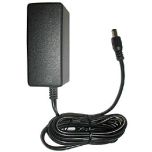
15m long distance wireless RF remote control; mini size; convenient to use. DC 5V~24V input; But it can’t regulate the output voltage.Please choose power supply according to your led lights, not the controller..
Support setting controlled pixels number. Control up to 2048 pixels at most. R/G/B keys can be reordered to match your LED light if needed..
Come with 3pin JST connector and DC female connector. Just plug and play. No soldering is needed. Save user setting automatically when power off..
Working temperature: -20℃~60℃ Working voltage: DC 5V~24V Working current: 30mA Remote distance: 15 Meters Remote size: 85mm*40mm*7mm Certificates: CE, RoHS
1. The controller’s input voltage is 5V~24V, but it can’t regulate the output voltage. That means you should choose power supply according to your led lights, not the controller. If your LED light needs 5V input, please use a 5V power supply, NOT 12V or 24V power supply or your led light will burn out. Please never use power supply more than 24V or less than 5V. 2. If the controller displays the wrong colors, for example red button shows green, please don’t worry, it doesn't mean the controller is defective.
Resetting the R/G/B order again will resolve the issue.
Resetting R/G/B Order 1. Press and hold the SETTING button until LED flash on white once and then keep on white. 2. Press the R button until LEDs turn red; press the G button until LEDs turn Green, press the B button until LEDs turn Blue. 3. Press the SETTING button again to confirm your setting.





Please complete your information below to login.
Sign In
Create New Account